How to get registered for RCS
With RCS you can send rich, interactive messages to your subscribers with a branded and verified experience.
What to expect
To get set up with RCS, you will first submit a registration through your Klaviyo account. Your registration will be reviewed by Google and carriers and can take over 30 days. This detailed guide outlines how to complete your registration so that you have the best changes of being approved the first time around.
Before you begin
Good news! The RCS registration process is straight forward. There are 2 inputs that you may want to prepare ahead of time to ensure your registration process is fast and easy:
- Obtain a copy of your brand’s business EIN (employee identification number) document. This is a required input in the registration.
- Pre-check your brand’s privacy policy against the requirements in Step 1C of this guide. This is worth checking in advance in the event that you need to make changes to your privacy policy, which may require support from your web team and/or legal team.
1/3 Set up your RCS Agent
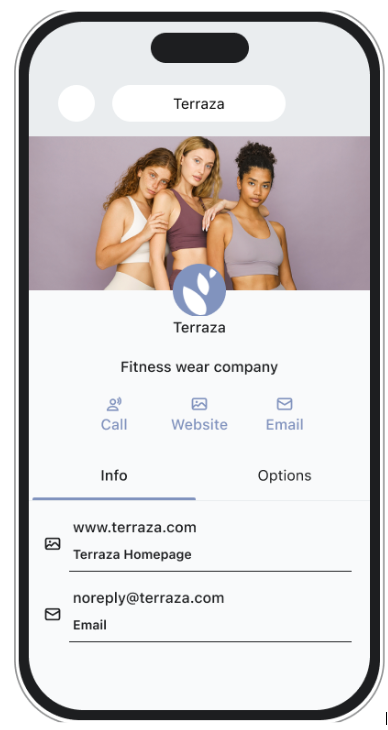
First, you’ll submit all the information that your subscribers will see if they click on your RCS Sender for more information. This will be reviewed by carriers to ensure that recipients of your RCS messages have the resources they need to obtain support or consumer info from your brand.
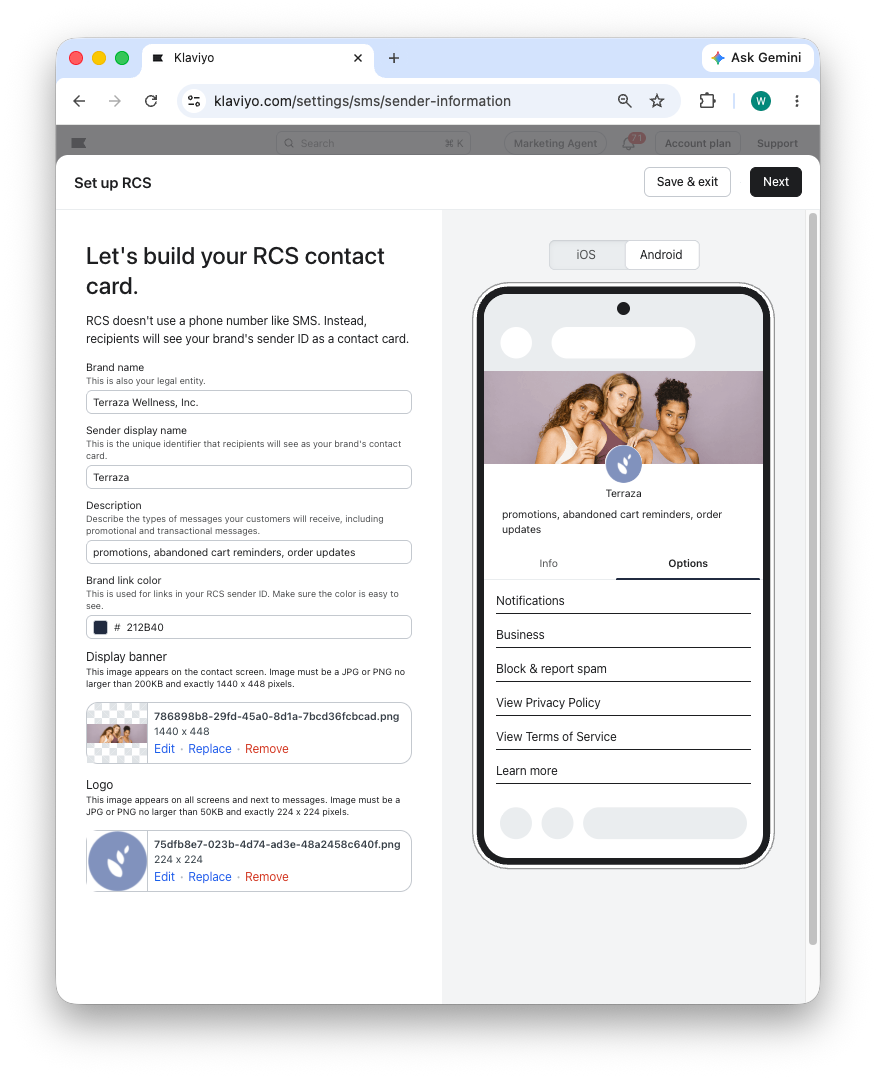
➤ Brand Name: your company’s legal name
Make sure this matches your company’s legal registration exactly. For example, include any designations included in the company’s legal entity name, like Inc, LLC, etc.
➤ Sender display name: name that is displayed to users when they interact with your RCS sender. Typically, this is the brand name.
➤ Description: a description of the types of RCS messages you will send to subscribers
This is NOT a tagline. Carriers require this description to list examples of message types, including at least one example each of a marketing message and an informational message. We recommend using the pre-filled text (promotions, abandoned cart reminders, order updates)
➤ Brand link color: color of certain elements displayed above the phone number. Use this to match your brand colors.
➤ Display banner: displays when a subscriber views your RCS sender’s information
➤ Logo: the logo appears when your agent sends a message to a user
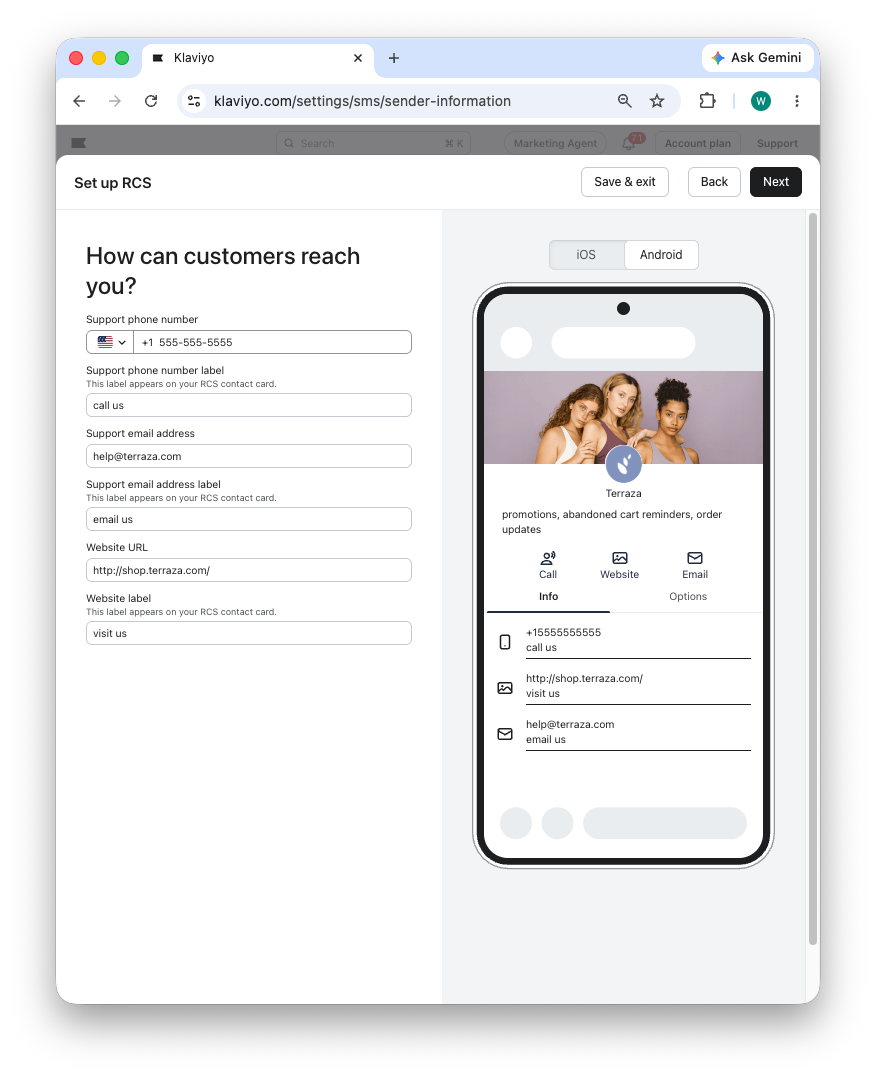
NOTE: A website is required. You must also include an email address, a phone number, or both.
➤ Support phone number: phone number that your subscribers can call if they require support. Required if you have not provided an email. ➤ Support phone number label: the text used to label the support phone number. For example, Customer Care. If you’re not providing a support phone number, leave this blank.
➤ Support email address: email that your subscribers can write to if they require support. Required if you have not provided a phone number. ➤ Support email address label: the text used to label the support email. For example, Customer Care email.
➤ Website URL: Your primary website. This field is required. ➤ Website label: the text used to label the primary website. For example, ‘Visit us online’
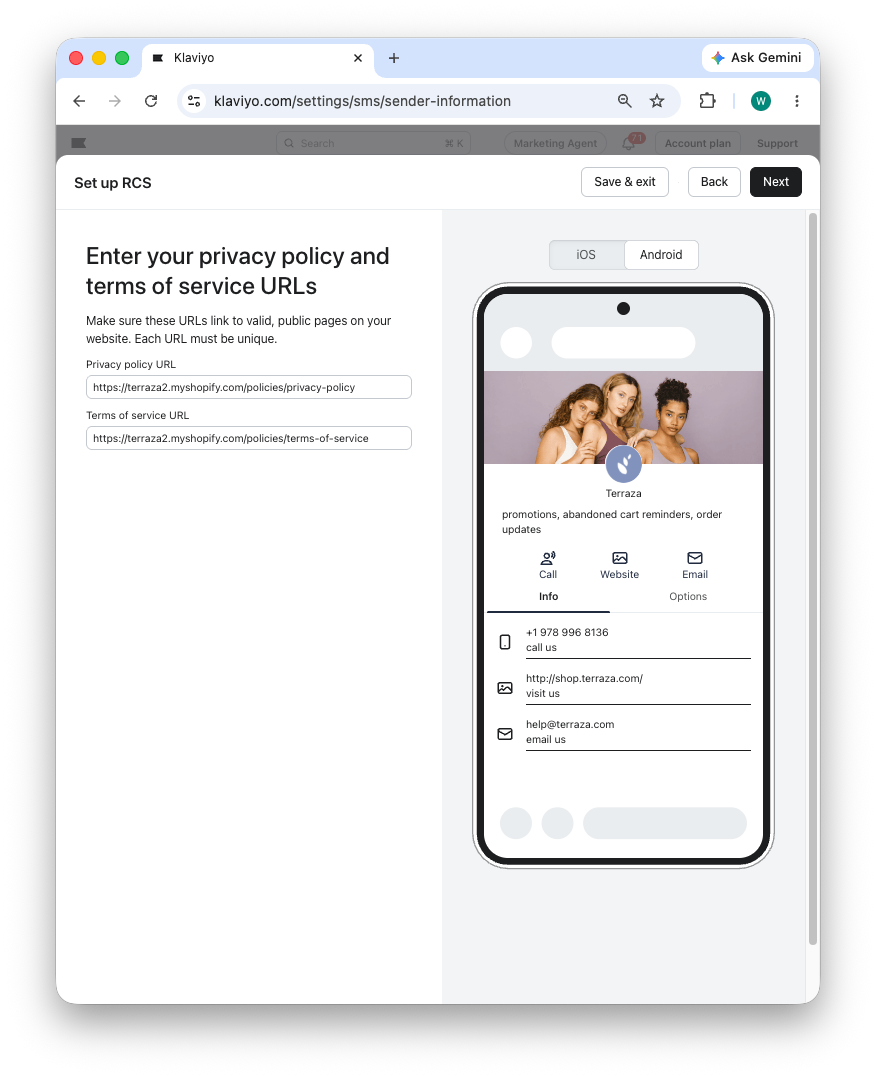
NOTE: you must have unique URLs for your privacy policy and terms of service
➤ Privacy Policy URL: the link to your brand’s privacy policy. The webpage must be live and it must mention your company name (for example, if you provide the privacy policy of your parent company, it must mention your brand’s company name on the site).
Your privacy policy must state that text message consent will not be shared with any third parties for purposes unrelated to delivering the messaging service. Visit our article on privacy policy best practices for more information.
➤ Terms of Service URL: the link to your brand’s Terms of Service. The webpage must be live and it must mention your company name.
Please review your Terms of Service for the following required language.
□ Message frequency disclosure (e.g., "Message frequency varies") □ Opt-out information (e.g., "Text STOP to opt out") □ Customer care information (e.g., "Text HELP for help") □ "Message and data rates may apply" disclaimer
2/3 Company information
Next, you’ll provide information about your company. This will be reviewed to ensure your company is a legitimate registered business.
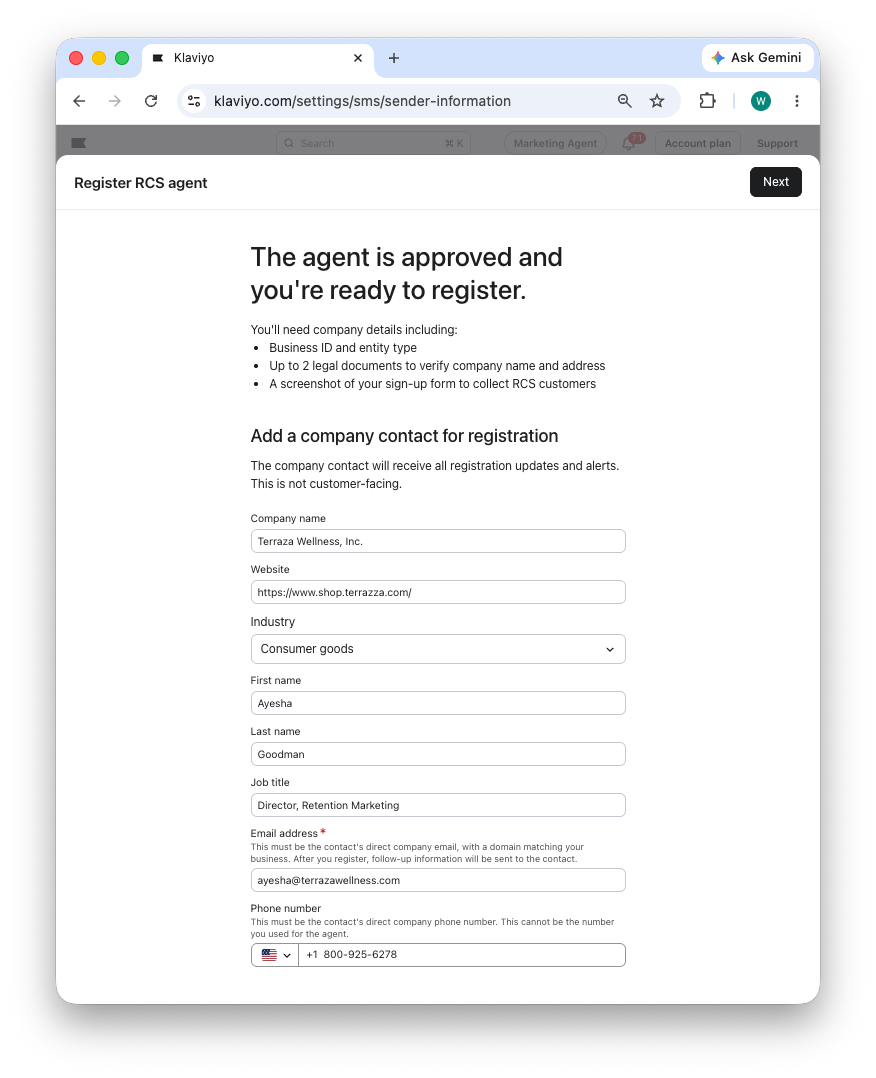
NOTE: in this step, you’re providing contact information for the person that Google or Infobip (RCS partner) will contact via email to confirm the registration request (this is a security requirement).
Your email address must be must be an individual account tied to your name, NOT a group account (ex. help@ or info@). The email domain must be tied to your company.
✔ ayesha@terraza.com ✔ a.goodman@terraza.com ✘ annabelle@terraza.com ✘ ayesha@gmail.com ✘ info@terraza.com
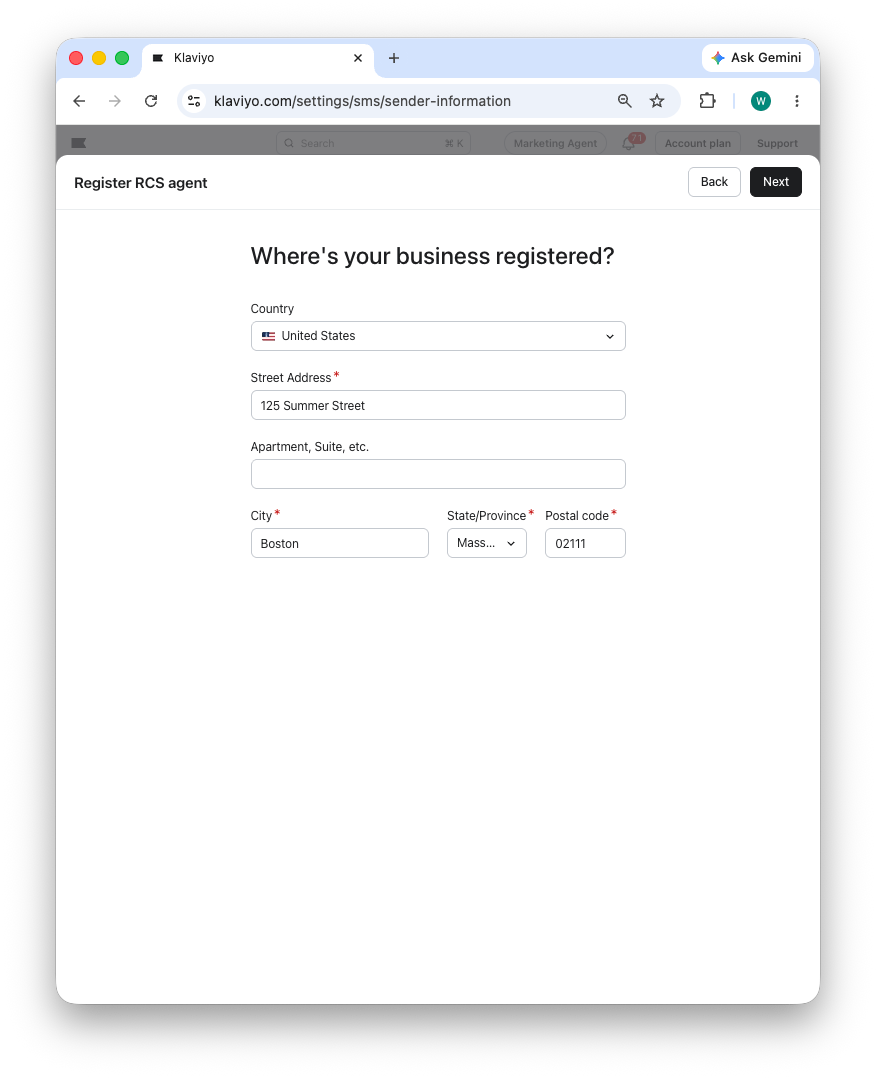
Make sure the address you provide matches your company’s legal registration exactly. Do not provide a trading or operation address that differs from your company’s legally registered address.
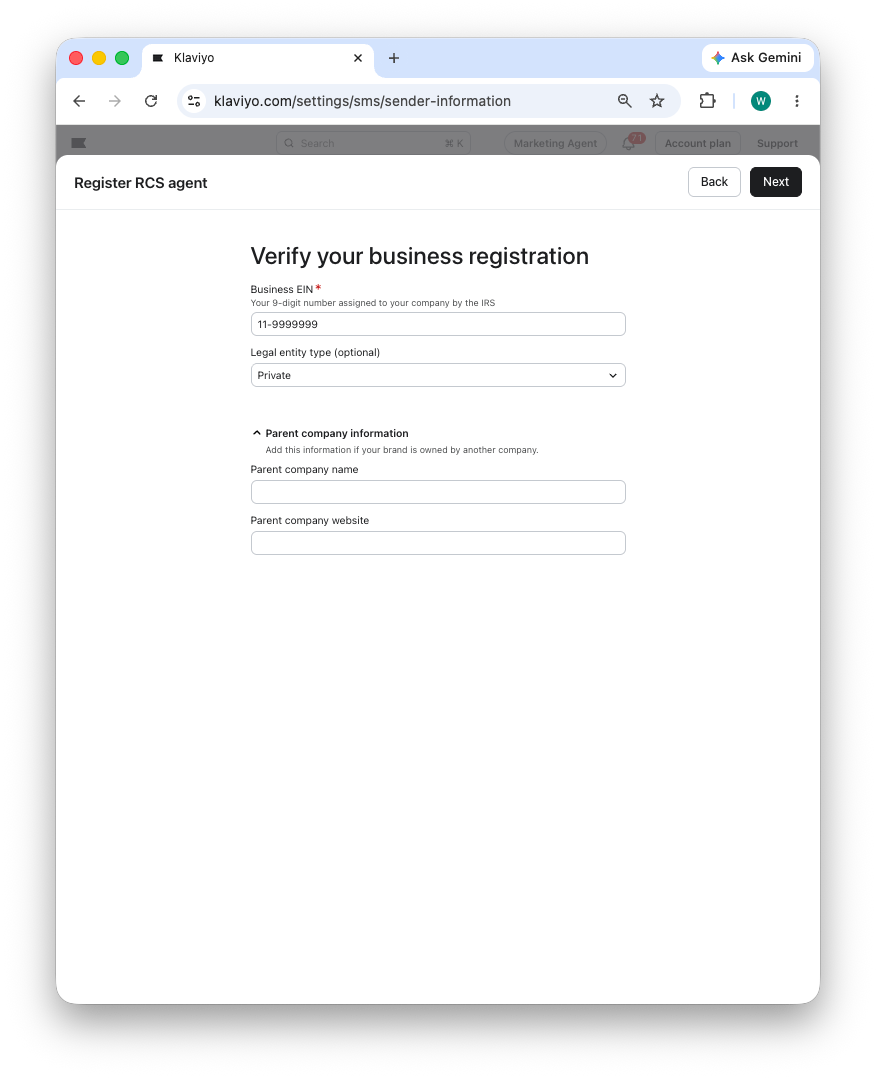
➤ Business EIN: the 9-digit federal tax ID number assigned by the IRS to your brand or your brand’s parent company.
➤ Parent company:
If your business EIN is corresponds to the registering brand, then leave these fields blank.
If your business EIN is for a parent company, then you must provide your parent company’s name and website.
Parent company name must match the company name in your business EIN exactly.
The parent company website must reference your brand name. This is required so that reviewers can verify that there is a link between the parent brand and the brand you are obtaining an RCS sender for.
3/3 Text sign-up form
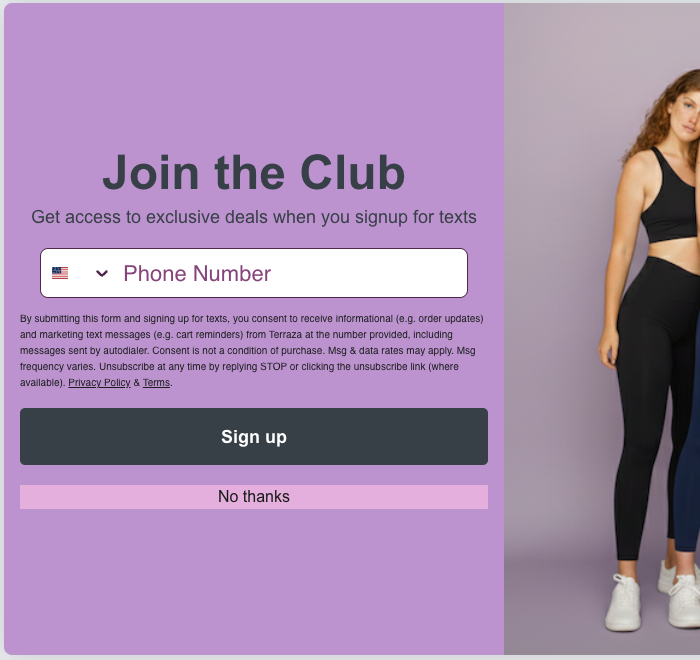
Lastly, you’ll provide an example of your sign-up form where you collect text messaging consent. This will be reviewed to ensure that you are collecting consent compliantly.
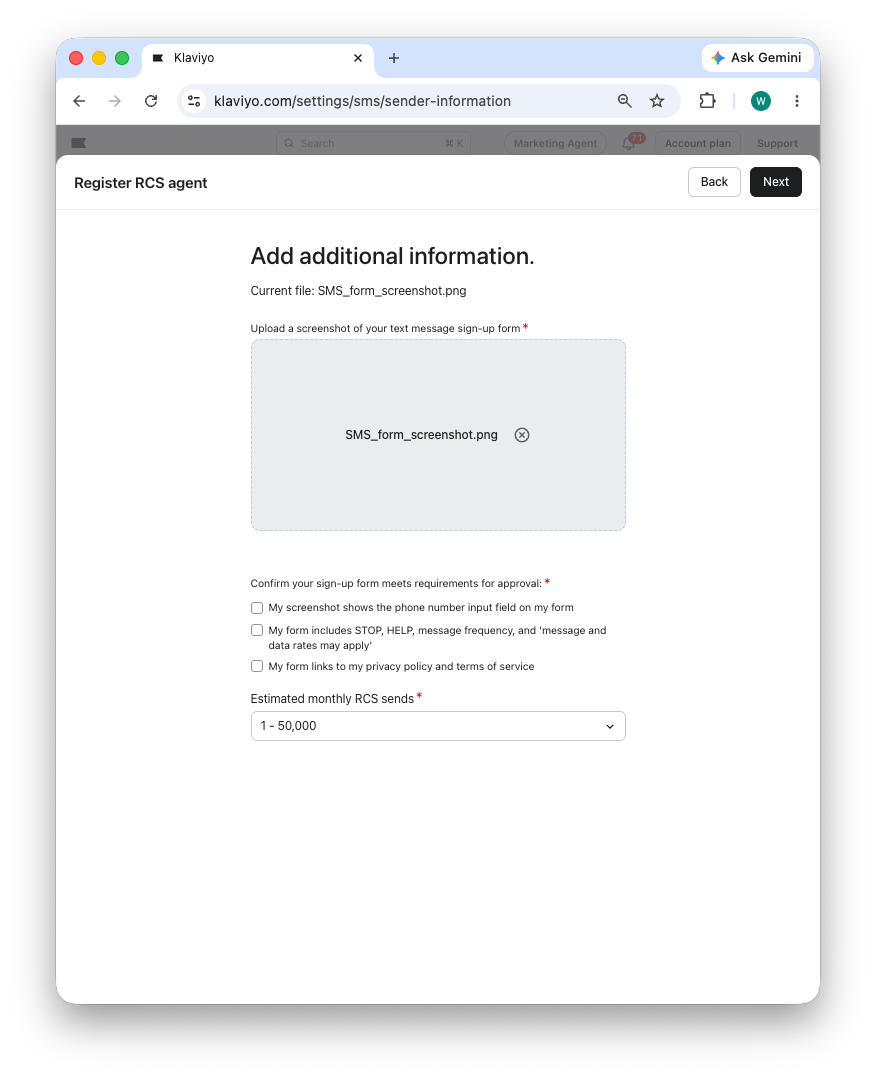
➤ Screenshot of your text message sign-up form: upload a screenshot of your sign up form. The image must be clear and the disclosure text must be readable for your registration to be approved.
Your program description must clearly state the types of information and transactional message that the subscriber will receive.
Sample language: By submitting this form, you consent to receive informational (e.g., order updates) and/or marketing texts (e.g., cart reminders, promotions) from [BRAND NAME] including texts sent by autodialer. Consent is not a condition of purchase. Msg & data rates may apply. Msg frequency varies. Text HELP for help. Unsubscribe at any time by replying STOP or clicking the unsubscribe link (where available). Privacy Policy & Terms
Visit our article on text messaging disclosure language for more information.
Here is an example screenshot that meets the requirements: