Premium feature. Available on the paid Klaviyo Social Marketing plan with Facebook Login.
The Social Content Library brings all of your brand's Instagram content into Klaviyo in one place. It has two tabs:
- Owned. Every post, Reel, and story published by your brand's connected Instagram account, with engagement data.
- User-generated. Every Instagram post, story, and Reel where your brand is tagged by another account.
Use the library to see which content resonates with your audience, compare your own content against what your community creates, and identify content worth reusing in your owned marketing channels.
This article covers what's in the Social Content Library, how to navigate it, and how access works across authentication types.
Plan and access
Your experience depends on your plan and how Instagram is connected.
- Paid Social Marketing plan with Facebook Login authentication method. Full access. Both tabs populate with content and engagement metrics.
- Paid Social Marketing plan with Instagram Login authentication method. The Social content tab is visible but content does not flow in. Re-authenticate with Facebook Login to populate the library. See Connect Instagram to Klaviyo.
To use the Social Content Library at full capability you need both the paid plan and a Facebook Login connection.
Open the Social Content Library
In Klaviyo, open Social in the left navigation and select Social content. If your Instagram account is connected with Facebook Login and you're on the paid plan, the library opens to the User-generated tab showing content your brand is tagged in. Select Owned to see your brand's own published content.
If you haven't connected Instagram yet, you'll see a splash screen prompting you to do so.
The Owned tab
The Owned tab shows your brand's own published Instagram content: posts, Reels, and stories, alongside the engagement each has earned. Because all content in this tab comes from your own account, there is no creator filter.
Above the grid, top-level metrics summarize your content's performance for the selected date range:
- Total posts. All of your published posts, stories, and videos in the range.
- Engagement rate. Average engagement across your content, calculated per post as (likes + comments) divided by your follower count, then averaged across posts.
- Likes & comments. Total likes and total comments across your content.
- Follower count. Your account's current follower count.
The metrics update when you change the filters.
The User-generated tab
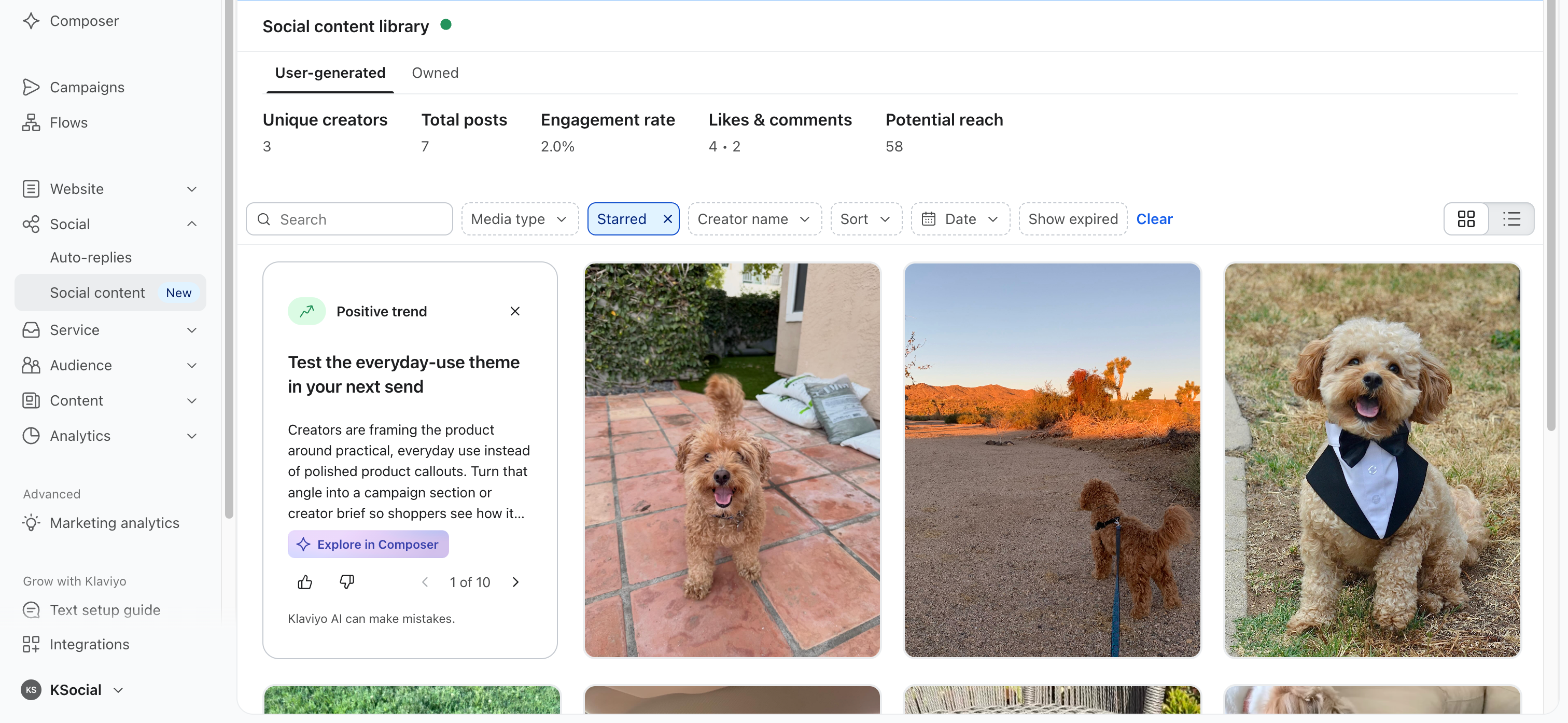
The User-generated tab surfaces every Instagram post, story, and Reel where your brand is tagged, from any creator with a public Instagram account. Unlike Engagement events, which capture the action and require a matching Klaviyo profile, this tab shows all tagged content (regardless of a matching Klaviyo profile for that Instagram user). Klaviyo back-populates up to 200 recently tagged posts and Reels when you connect Instagram to Klaviyo.
Top-level metrics for this tab:
- Unique creators. Distinct Instagram accounts that have tagged your brand.
- Total posts. All tagged posts, stories, and videos.
- Engagement rate. Average engagement across all tagged content. Calculated per post as (likes + comments) divided by the creator's follower count at the time of the mention, then averaged across posts.
- Likes & comments. Total likes and total comments across all tagged content.
- Potential reach. Sum of follower counts across unique creators.
Browse, filter, and sort
Both tabs show each piece of content as a tile with the media and basic engagement counts (tiles on the User-generated tab also show the creator's handle). Switch between grid and list views using the toggle on the right. List view exposes more quantitative detail; grid view emphasizes the content itself.
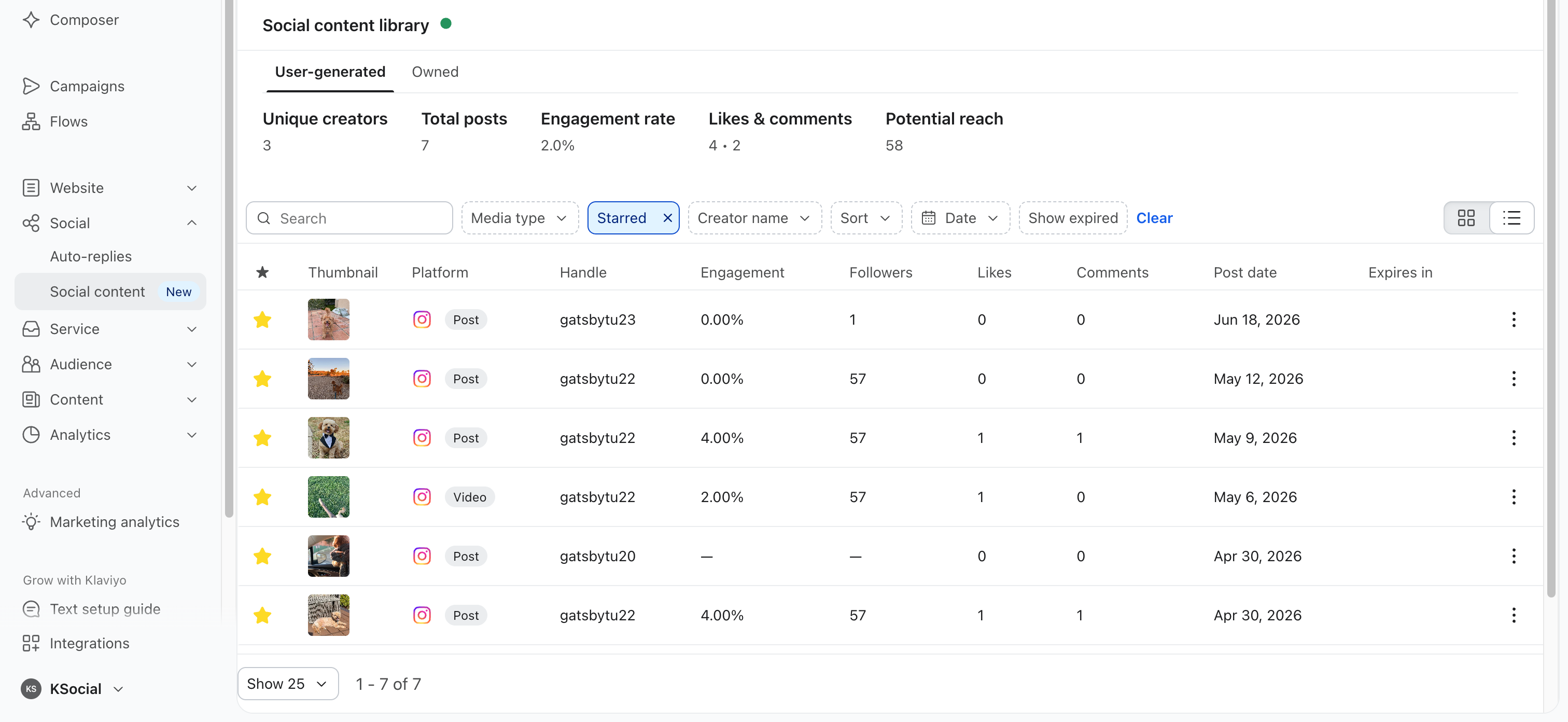
Filters
- Date range. Updates both the grid and the top-level metrics.
- Media type. Filter by Post, Story, or Video.
- Starred. Show only content you've starred.
- Creator name. Filter to a single creator (User-generated tab only).
-
Show expired. Include or exclude expired stories.
Search
Search by keywords in captions. On the User-generated tab, you can also search by creator handle.
Sort
- Most recent
- Most liked
- Most commented
- Highest engagement rate
Open the detail view
Click a tile to open the detail panel for that post. The detail panel shows:
- The full media, including caption
- The account handle and follower count (on the User-generated tab, the creator's follower count at the time of the mention)
- Engagement metrics: engagement rate, likes, comments
- Posted date and last sync time
- A link to open the post directly in Instagram
Stories and videos auto-play on hover in the grid. You can pause and resume manually.
Star content
Star media items to come back to them later. Click the star icon on a tile, then use the Starred filter to see everything you've saved.
Stories behavior
While a story is active, it appears in the library normally. Instagram deletes story media 24 hours after posting. For your brand's own stories, Klaviyo saves the story content so it remains viewable in the Owned tab after expiry. For tagged stories on the User-generated tab, Klaviyo can no longer show the media after expiry, but the history of the story being published persists.
Use the Show expired filter to include or exclude expired stories from the view.
Get AI insights on your social content
The Social Insights Agent analyzes the content in your Social Content Library and surfaces insight cards highlighting trends in what your community is posting, so you can spot what's resonating without reviewing every post manually. Insight cards appear on the User-generated tab. To learn how it works and how to act on an insight, see Getting started with the Social Insights Agent.
How content stays current
Klaviyo refreshes the Social Content Library automatically.
- Owned content syncs on a recurring schedule. New posts typically appear within about 10 minutes of publishing.
- Mentions (when a creator tags your brand using the @ sign in their caption or in their story) come in via a Meta webhook in real time.
- Tagged content (when a creator tags your brand in the post or Reel content itself) comes in via the Meta Tag API. It can take up to 30 minutes for new tagged content to display.
- Engagement metrics (likes, comments) refresh on a recurring schedule that varies based on how recently the content was published and how much content is in your library.
Each tile shows a "Last updated" timestamp.
Connecting one Instagram to multiple Klaviyo accounts
If your Instagram is connected to multiple Klaviyo workspaces (a 1:Many setup), the Social Content Library behaves slightly differently on first entry:
- The first time you open the library in a new workspace, Klaviyo shows a confirmation message explaining that this Instagram is connected to other workspaces and that content may also appear there.
- Once you confirm, the library populates as normal.
Content is visible across all connected workspaces. Stars and other in-workspace actions are scoped to each workspace independently.
Things to know
- The Social Content Library requires Facebook Login. Content does not flow in on Instagram Login connections.
- Content cannot be downloaded or exported from the Social Content Library today. To reuse your own content in campaigns, flows, and forms, use the Social tab in the media picker.
- Instagram rate limits apply per connected account and are shared between owned and tagged content syncing. Very high-volume accounts may see slower engagement refreshes.